See participating traffic
Give pilots and ground teams the same live event picture, scoped only to that event.
FlyIn GA tools · event based
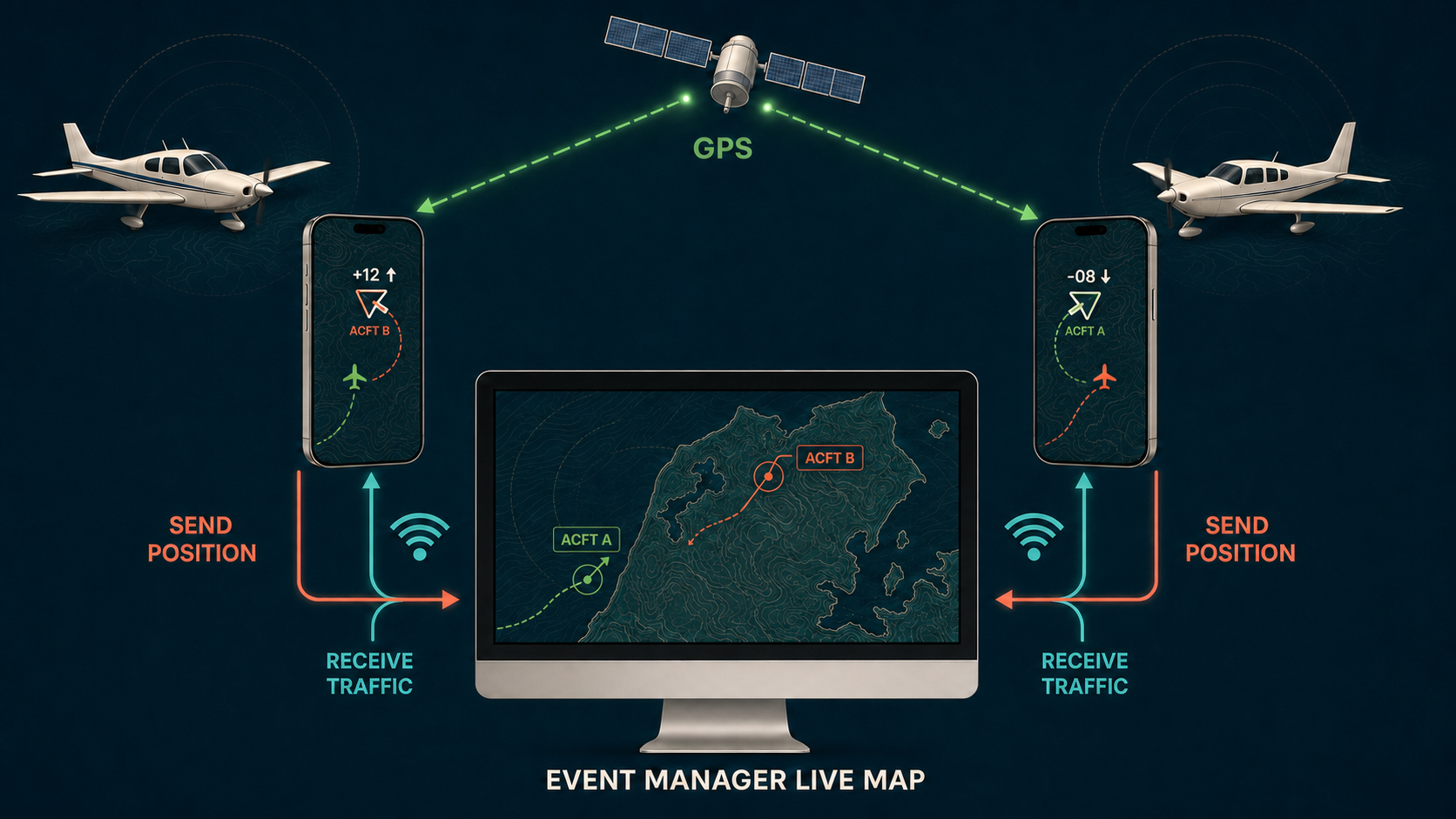
FlyIn Track gives pilots and event teams a simple live view of participating aircraft. Pilots sign in on the smartphone app, report their own GPS position, and see other reporting aircraft in the same event.
Why create an event?
FlyIn Track is designed for the part of general aviation where many crews are converging on the same place, route, or programme.
Give pilots and ground teams the same live event picture, scoped only to that event.
Know which registered aircraft are active and see the last reported position when reception is interrupted.
Registrations, aircraft types, PIC contact details, and login codes stay together for the event manager.
Pilots receive their aircraft code and app instructions, then sign in with registration and code.
How FlyIn Track works
The event manager creates the event and gives every participating aircraft its own access. From there, the FlyIn Track app keeps pilots and the event team connected to the same event traffic picture.
The manager creates a public or closed event. Public-event pilots register here; pilots in a closed event are entered by the manager.
The pilot opens the FlyIn Track app on an iPhone and signs in with the aircraft registration and issued login code. The Android app is in development and will be added when ready.
While moving, the phone uses GPS and mobile data to report position, altitude, direction, and speed approximately every two seconds. Repeated reports stop while stationary and resume when movement is detected.
Logged-in pilots see other participating aircraft reporting within the same event. The event manager sees the same event-scoped live overview.
Interactive traffic demo
Open a separate interactive map with five simulated aircraft, radar labels, trails, and a repeating one-minute flight loop.
Choose the right format
Public event
Publish the event name, dates, time, place, and pilot information here. Pilots submit aircraft type, registration, PIC name, email, and phone.
Closed event
The event stays off the public registration list. The manager enters each invited aircraft and pilot directly.
Pilot registration
Choose an event and register your aircraft. Your registration will be used as the callsign unless the manager changes it.
Loading public events…
Create an event
Create one event for a maximum of 14 days. Pilot app login and reporting are available from 24 hours before until 24 hours after the event. Manager access, the private web map, and enabled share links remain available for 14 days after the event. Complete event data is deleted after 30 days.
Pay-per-event checkout. During this early phase, event creation is available without online payment.
FlyIn Track is a supplementary situational-awareness aid. It is not certified for navigation, traffic separation, ATC, or collision avoidance. Aircraft may be absent or delayed for technical, operational, or participation reasons. The pilot in command remains responsible for lookout and safe operation.